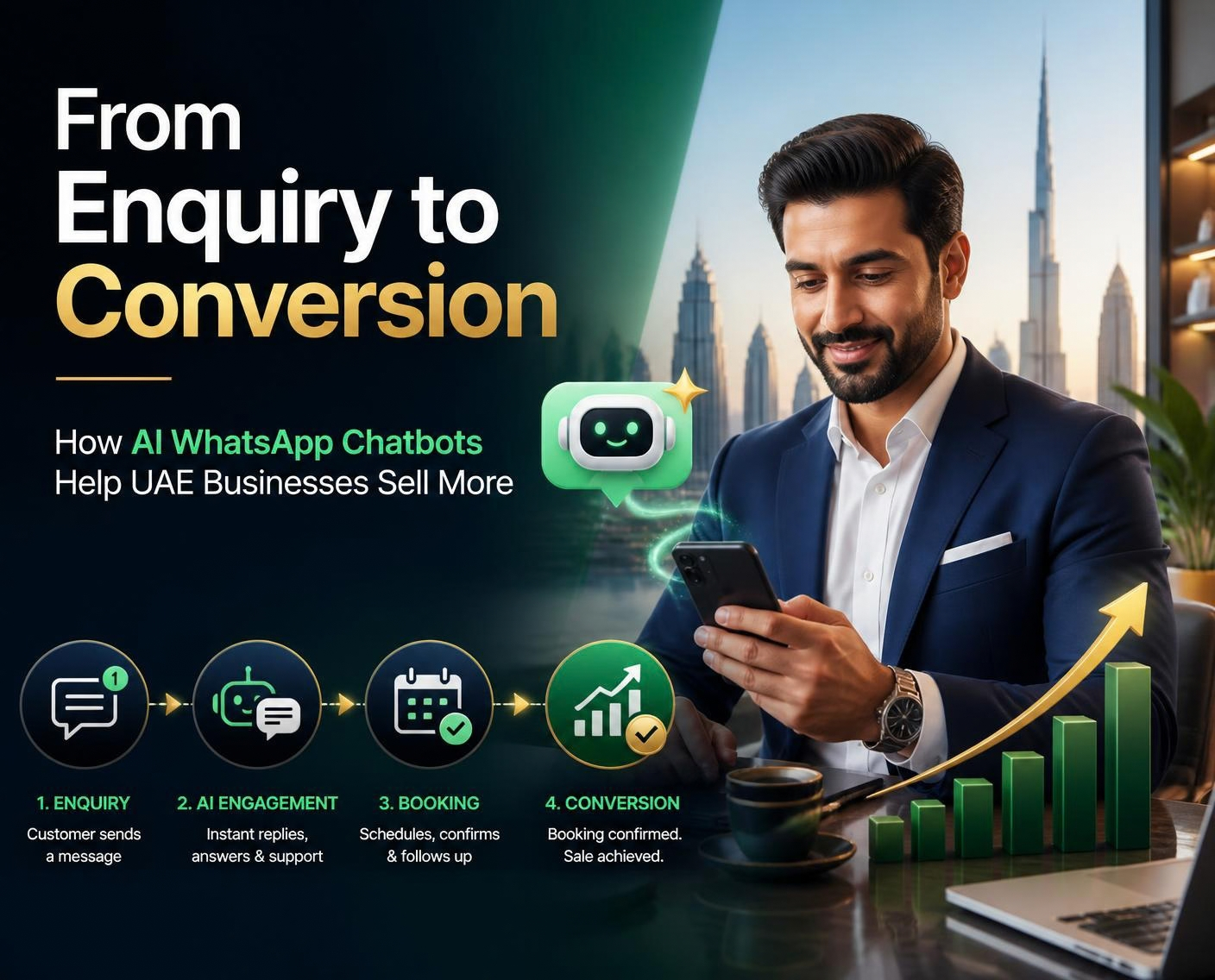
For many businesses in Dubai and across the UAE, a sale starts with a WhatsApp message. A customer asks about pricing, availability, an appointment or a service. If the reply is late or the next step is unclear, that potential customer may move on. A well-designed WhatsApp AI chatbot can help businesses respond faster, organise enquiries and guide suitable prospects towards conversion.
AI automation is most effective when it supports a real sales process. It should provide accurate information, ask useful questions and make it easy to speak with a person—not simply send automated replies. Here is how UAE businesses can use WhatsApp chatbots to improve the journey from first enquiry to sale.
Key takeaway: A WhatsApp AI chatbot can help turn enquiries into opportunities by combining prompt responses, lead qualification, helpful information and a clear next action.
Why WhatsApp matters for UAE businesses
Messaging is a convenient way for customers to ask questions while comparing products, services and providers. Businesses serving Dubai, Abu Dhabi, Sharjah, Ajman and the wider UAE can use WhatsApp for first contact, appointment requests, quotations and customer support. A chatbot can complement a strong SEO strategy by helping convert the enquiries that discover your business online.
But receiving a message is only the beginning. Teams need a consistent way to understand the customer's intent, provide relevant information and make follow-up manageable. A chatbot can help handle routine conversations while staff focus on enquiries that require expertise or negotiation. If you are improving your wider digital presence, consider how this process connects with AEO services and clear, helpful website content.
How AI WhatsApp chatbots move enquiries towards conversion
1. Respond quickly, including outside office hours
A configured chatbot can acknowledge new messages and answer supported questions about business hours, services, product options or booking procedures. This gives customers a useful first response when the team is busy or unavailable. Complex or sensitive questions should be routed to a person rather than answered with a guess.
2. Qualify leads through a short conversation
Instead of sending every visitor a long form, the chatbot can ask a few relevant questions. A real estate company might ask about preferred area and budget range; a clinic might ask what appointment type is needed; a marketing agency might ask about the service and business goals. Collect only information needed for the next step.
3. Share accurate, approved information
Businesses can prepare a reliable knowledge base covering services, product details, pricing guidance, service areas, delivery policies and common questions. Content should be reviewed regularly. If information is missing or uncertain, the chatbot should explain that and offer human assistance instead of inventing a price or promise.
4. Guide the customer to one clear next step
Every conversation should help the customer move forward. Depending on the business, that might mean requesting a quotation, booking a consultation, viewing a catalogue, submitting project details or speaking with a sales representative. Clear choices reduce friction and make it easier to measure what happens after the first message.
5. Support follow-up and sales handover
Where the platform and integrations support it, a chatbot can send lead details to a CRM, notify a team member or create a follow-up task. These workflows are easier to manage when the website and forms are well structured; see our website design and development services for related improvements. Make the handover process clear so the customer does not have to repeat everything. Follow-up messaging must comply with applicable WhatsApp rules and customer consent requirements.
Business benefits of WhatsApp automation
- Fewer missed enquiries: capture initial details when the team cannot respond immediately.
- More consistent answers: share current, approved information about services and policies.
- Better lead qualification: collect the details sales staff need to prioritise follow-up.
- Less repetitive work: automate common questions and simple routing tasks.
- More organised follow-up: connect enquiries with CRM tasks or team notifications when supported.
- Multilingual service options: support Arabic and English when the chosen solution is configured and tested for both.
Results depend on enquiry quality, the offer, chatbot design, data accuracy and the sales team's follow-up. More conversations do not automatically mean more sales, so measure qualified leads and completed actions rather than chatbot activity alone.
Practical use cases across industries
Real estate: capture buying or renting intent, preferred locations and budget ranges, share approved property information and help arrange viewings.
Clinics and wellness providers: answer general administrative questions and collect appointment preferences. Sensitive health questions should be handled by qualified staff with appropriate privacy safeguards.
Retail and e-commerce: answer product questions, share catalogue links, explain delivery policies and guide shoppers to ordering or support.
Professional services: identify the service required, collect basic project details and schedule a consultation with the right team member.
Hospitality and travel: respond to common guest questions, explain available services and direct booking requests to the appropriate system or staff member.
How to implement a WhatsApp AI chatbot
- Map the customer journey. Review real conversations and identify the questions or delays that most often block conversion.
- Choose a focused first use case. Start with FAQs, lead qualification, appointment requests or enquiry routing before automating every workflow.
- Prepare reliable answers. Create approved content, escalation rules and clear boundaries for questions the bot should not answer.
- Select the right setup. Check whether your needs require the WhatsApp Business Platform, a suitable provider, CRM integration or booking connection. Verify current Meta requirements and fees before committing.
- Test real conversations. Test misspellings, Arabic and English phrasing, unclear questions, complaints, opt-outs and human handovers on mobile devices.
- Review privacy and permissions. Explain why information is collected, restrict access, define retention practices and follow applicable UAE privacy requirements.
- Improve using evidence. Review conversion and customer feedback regularly and update the chatbot's content and flow.
How to measure chatbot performance
Set a baseline before launch and monitor first-response time, useful-answer rate, qualified leads, quotation requests, bookings, human handover rate, conversion rate and customer feedback. If the chatbot creates conversations but few qualified leads, revise the questions and next-step prompts. If good leads reach the sales team but do not convert, review pricing, offer fit and follow-up speed as well.
Use campaign tracking and CRM stages where possible, and avoid attributing every sale to the chatbot without evidence. The goal is to understand whether automation improves the customer journey and contributes to measurable business outcomes.
Ready to automate WhatsApp enquiries?
The Brand Strong can help you explore WhatsApp AI automation for lead generation, customer support and sales workflows. You can also explore our digital marketing blog for related growth guidance. Tell us what enquiries your team receives and where you want to reduce delays.
Conclusion
WhatsApp AI chatbots can help UAE businesses respond promptly, qualify leads and guide customers towards the next step. The strongest setup is built around a defined customer journey, accurate information, responsible data handling and an easy handover to a human when needed.
Start with one high-volume use case, test it with real enquiries and use conversion data to improve the experience. When automation makes buying or booking simpler, it can help your team spend less time answering repetitive questions and more time supporting qualified prospects.
Frequently asked questions
What is a WhatsApp AI chatbot?
A WhatsApp AI chatbot is an automated assistant connected to an eligible WhatsApp Business setup. It can answer supported questions, share approved information, collect lead details and route complex requests to a human.
How can a WhatsApp AI chatbot help UAE businesses increase sales?
It can respond promptly, qualify prospects, provide relevant product or service details and guide customers to a clear next step. Results depend on lead quality, the offer, the setup and the sales process.
Can a WhatsApp AI chatbot respond outside business hours?
Yes. When configured correctly, it can answer supported questions and capture enquiries outside working hours. Requests that need judgement or staff action should be handed over for follow-up.
Can a WhatsApp AI chatbot support Arabic and English?
Many platforms support both languages, but quality varies by solution, dialect and knowledge base. Test real Arabic and English customer messages before launch and make human support available.
Can a WhatsApp chatbot qualify leads automatically?
Yes. It can ask relevant questions such as location, service required, budget range or preferred appointment time, then pass the collected details to the sales team where integrations allow.
Does a business need the WhatsApp Business Platform for AI automation?
Advanced API-based automation usually requires an eligible WhatsApp Business Platform setup, directly or through a provider. Confirm current Meta requirements, provider features and pricing before choosing an implementation.
Can the chatbot connect to a CRM or booking system?
Depending on the tools and permissions, integrations can send lead details to a CRM, notify staff or support booking workflows. Test data accuracy, access controls and error handling.
How much does WhatsApp AI chatbot development cost in the UAE?
Costs vary with conversation complexity, languages, integrations, provider fees, message usage, maintenance and support. Request a scoped quote based on your use cases rather than relying on a universal price.
Are WhatsApp AI chatbots suitable for small businesses?
They can be useful for small businesses with recurring enquiries, appointment requests or product questions. Start with one measurable use case and expand only after confirming customer value.
What should businesses measure after launching a WhatsApp AI chatbot?
Track response time, useful-answer rate, qualified leads, appointments or quote requests, human handovers, conversion rate, customer feedback and cost per qualified lead. Compare results with a pre-launch baseline.